

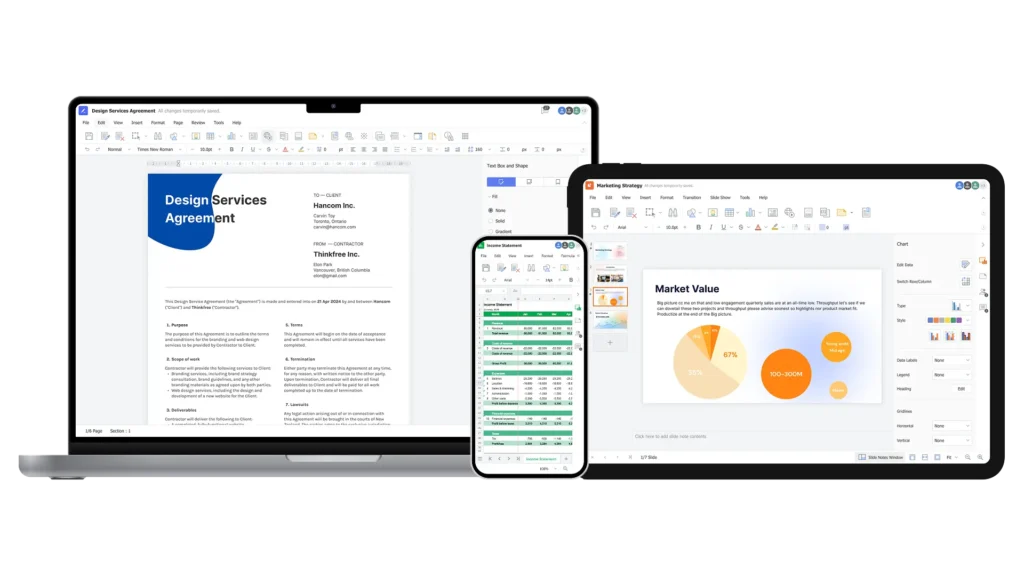
Boost productivity with a full-featured online office suite, available anytime, anywhere
A complete suite of tools—word processor, spreadsheet, and presentation—for creating, viewing, and editing documents
Supports doc/docx, xls/xlsx, ppt/pptx as well as ODF formats
(odt, ods, odp), compliant with ISO/IEC 26300-3:2015

Thinkfree Office delivers smooth performance with clear document rendering

Thinkfree Office is built with HTML5 and CSS3, ensuring smooth and reliable experience

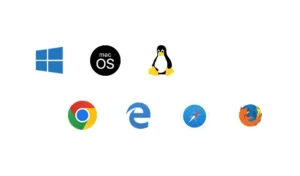
Thinkfree Office is compatible with Windows, MacOS, Linux, and browsers like Chrome, Edge, Safari, and Firefox
Deploy flexibly on-premise or in the cloud, and easily integrate with your business and systems
Deploy on your terms whether On-premise, in a Private Cloud, or via our Hosted API
Run and scale effortlessly using containers and Kubernetes, enabling efficient management across diverse environments

Connect seamlessly via APIs, built-in connectors, and custom adapters
Maintain brand consistency with full white labeling and flexible UI customization options
Thinkfree Office is an online office suite that combines a word processor, spreadsheet, and presentation tool in one platform. Unlike cloud-based SaaS products, it can be deployed on-premise or in a private cloud, so your documents and data stay within your own infrastructure rather than on an external server.
The key difference is data location and control. Thinkfree Office can be installed directly on your own servers or private cloud (BYOC), so your documents and user data never leave your infrastructure. This makes it well suited for regulated industries like finance, government, and healthcare where data sovereignty and security are critical.
You can choose between on-premise, private cloud (BYOC), and Hosted API deployment. Self-hosting is the right fit if you want to run the full office suite on your own infrastructure, while the Hosted API is better if you just need to integrate document editing into an existing application quickly. If you’re unsure which fits your case, our self-hosted vs. hosted API guide breaks down the differences.
Yes. You can open, edit, and save Word, Excel, and PowerPoint files without any conversion step. Thinkfree Office is built for high fidelity with MS Office formats, so formatting stays intact.
Yes. You can open, edit, and save ODT, ODS, and ODP. Thinkfree Office is built for high fidelity with Open Document Formats, so formatting stays intact.
Yes. Thinkfree Office supports container-based deployment, so it can run and scale on Docker and Kubernetes. This lets you adjust capacity flexibly as traffic changes, across a wide range of infrastructure environments.
Thinkfree Office works on Windows, macOS, and Linux, and is compatible with major browsers including Chrome, Edge, Safari, and Firefox. It’s built on HTML5 and CSS3 web standards, so no plugins or extra installations are required.
Yes. Thinkfree Office offers full white-label support, letting you customize branding, colors, and UI layout to match your product. This makes it easy to integrate seamlessly into an existing service or application.
Yes. Thinkfree Office connects with your existing business systems via APIs, built-in connectors, and custom adapters, including integration with platforms like Nextcloud.